
Show Me
A simple, free Chrome extension for seeing the page you're on — the whole page — and saving it as a picture.
I made Show Me because, as a product manager, I often needed to share something quickly. The problem was usually below the fold, or it only showed up on a phone. A picture of the visible window was never quite the page.
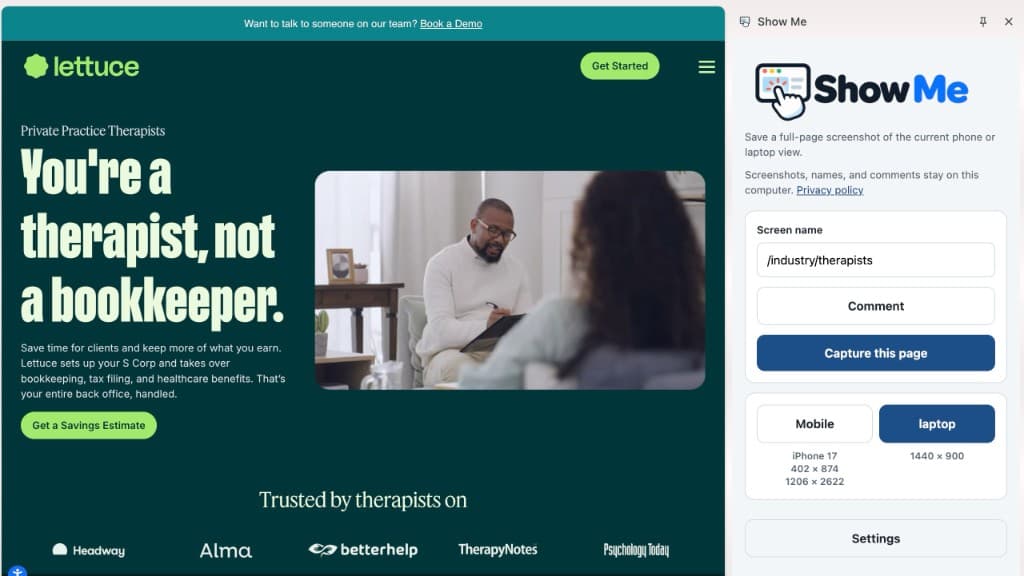
Open Show Me on the page you're looking at. Choose laptop or mobile. Add a comment if you want to point at something. Show Me downloads the full page to a folder on your computer.
The whole page
Show Me scrolls the page and saves everything, including what sits below the window you can see.
Laptop and phone
Capture a laptop layout, then capture the same page as a phone, so you can see how it actually behaves in both.
Comments on the screen
Name the screen, drop a comment where the problem is, and save that annotated picture.
On your computer
The file goes to a folder on your drive. Screenshots, names, and comments stay there.
I'm particular about privacy, so Show Me keeps this on your machine. It does not send screenshots, page content, names, or comments to the cloud. The Show Me privacy policy describes exactly how that works.
Simple, easy, and free. Please enjoy. This is my gift to you.
Questions: contact Product by Mark.